
🛠 Software FAQ
🔧 Quick Fix
Most issues can be resolved by performing a factory reset.
Steps:
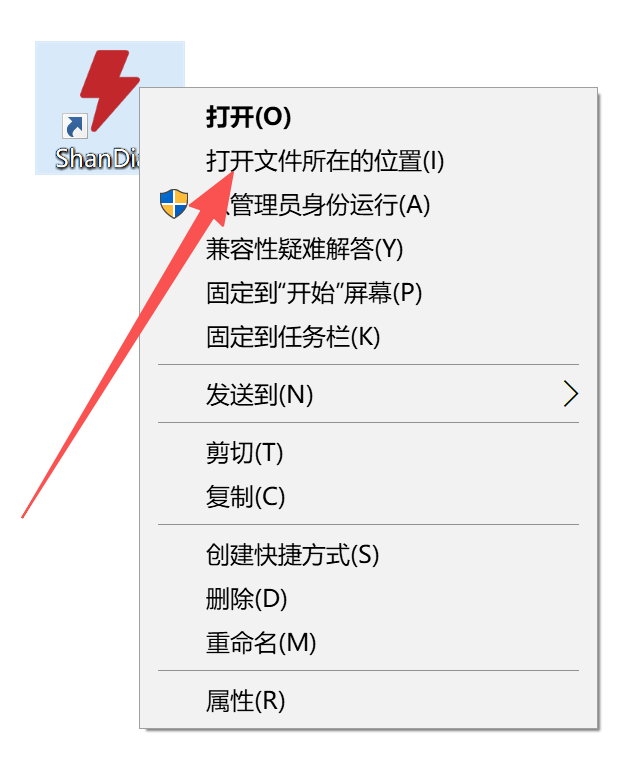
- Right-click the ShanDian desktop icon
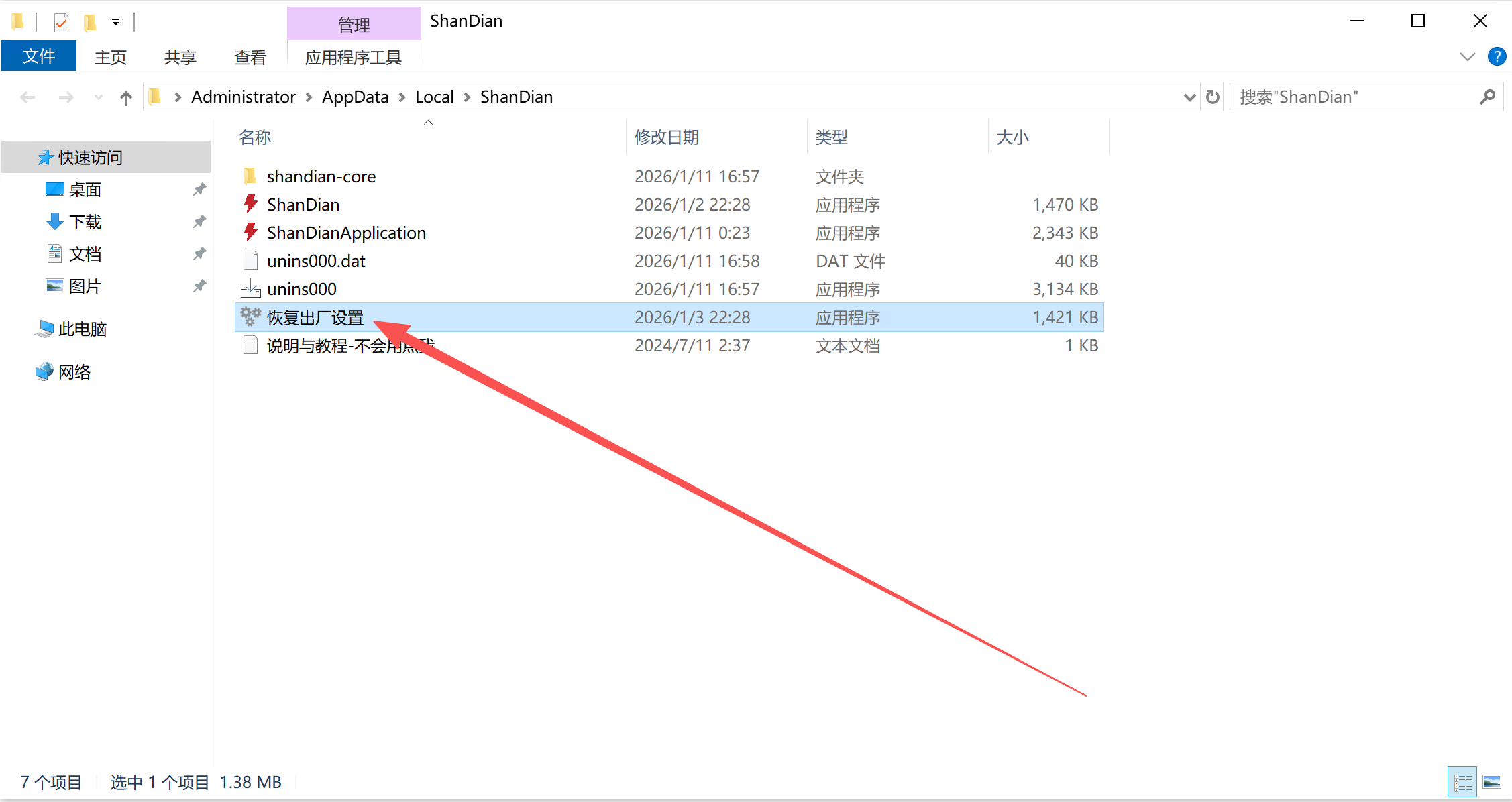
- Select Open file location
- Run Factory Reset
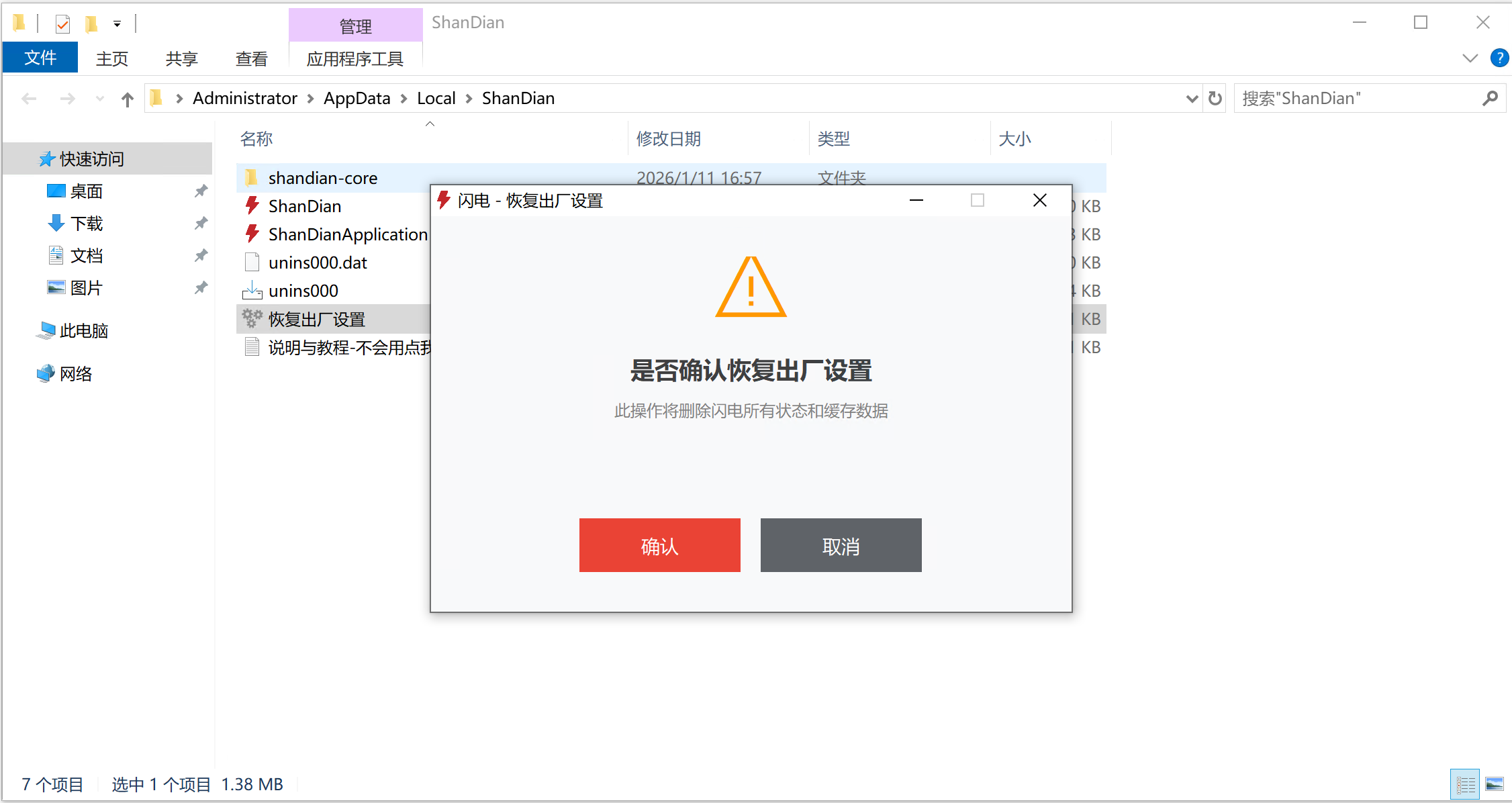
- Confirm and restart the application
❓ Common Issues
Built-in Browser Keeps Loading
- Windows 7 users must install the dedicated version
- Antivirus software removed browser components
- VPN network issues
No Network Connection
Check whether your firewall is blocking ShanDian.